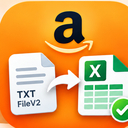
Turn Amazon text reports into organized Excel workbooks.
A free Chrome extension for Amazon sellers. Choose a TXT, TSV, CSV, or FileV2 report and create a styled XLSX workbook locally—without a desktop app or server upload.
Version 1.0.1 · Chrome for Windows, Mac, ChromeOS, and Linux · Chrome Web Store review pending
Raw reports should not slow down your analysis.
What files can I convert?
Choose a TXT, TSV, CSV, or FileV2 text report up to 25 MB. The extension detects tab, comma, and semicolon delimiters.
Will identifiers stay intact?
Order IDs, ASINs, SKUs, and similar identifiers remain text so Excel does not turn them into unwanted numbers or formulas.
What does the workbook contain?
You get a Summary sheet and a styled Data sheet with filters, a frozen header, readable widths, row shading, and number formats.
Three steps from report file to Excel
No account, website access, or desktop installer is required.
Choose a report from your device
Open the extension and select or drop a supported report. Chrome gives the extension access only to the file you explicitly choose.
Convert locally in Chrome
The extension finds the table, handles FileV2 metadata, protects formula-like text, and builds the XLSX package entirely in browser memory.
Open the downloaded workbook
Chrome saves a file ending in _formatted.xlsx. Open it in Excel or another compatible spreadsheet application and begin your analysis.
Your report stays on your device
The selected file is processed locally. The extension does not transmit report contents, connect to Seller Central, use analytics, or make external network requests.
Read the full privacy policy →- No uploadsReport contents never go to a developer server.
- No permissionsNo website, history, cookie, or account access.
- No trackingNo analytics, advertising, or remote code.
Useful formatting without changing your data
The converter recognizes common report headers and applies presentation that makes large tables easier to scan while keeping identifiers safe.
- Summary and Data worksheets
- Frozen header row and filters
- Readable widths and alternating row shading
- Currency, percentage, and numeric formats
How do I install it?
The Chrome Web Store submission is currently pending review. Until it is approved, use the release ZIP for local installation.
- Download the ZIP.Use the orange download button on this page.
- Extract the ZIP.Use Extract All on Windows or open it on Mac.
- Open Chrome extensions.Enter
chrome://extensionsin the address bar. - Enable Developer mode.Use the switch in the upper-right corner.
- Choose Load unpacked.Select the extracted folder containing
manifest.json.
For source code and release checksums, visit the GitHub repository.
Built around one clear purpose
This page describes the real version 1.0.1 behavior. The extension converts a file you select; it does not sign in to Amazon, browse Seller Central pages, or download reports automatically.
- Maintainer
- Khoo YC
- Published by
- Spectra (Spectrality Enterprise)
- Source
- Public on GitHub
- Current release
- Version 1.0.1
- Web Store ID
ioampmgbfpeihocjhhdfjmkejbbedkoh
Questions Amazon sellers ask
Clear answers about what the converter does—and what it does not do.
Does it upload my Amazon report?
No. The selected report is read and converted locally in Chrome. Its contents are not transmitted to the developer or any third party.
Which report formats are supported?
The extension accepts TXT, TSV, CSV, and FileV2 text reports up to 25 MB. It detects tab, comma, and semicolon delimiters. Unusual or changed layouts may require adjustment.
Does it connect to Amazon Seller Central?
No. It does not sign in, read Seller Central pages, access cookies, or download reports. Download the report yourself, then explicitly choose that local file.
Which report families can it recognize?
It recognizes common headers used by order, settlement, search-term, campaign, business, inventory, returns, and FBA-fee reports. Other tabular reports can still be converted as generic reports.
Why are some values kept as text?
Identifiers such as Amazon order IDs, ASINs, and SKUs should not be treated as quantities. Keeping them as text protects their exact appearance and helps prevent formula injection.
Is it free?
Yes. Version 1.0.1 is free and open source. There are no accounts, advertisements, subscriptions, or in-app purchases.
How can I report a problem?
Open a GitHub issue and describe the file format and expected result. Never attach real customer data, credentials, Seller Central exports, or other private information.
Make downloaded Amazon reports easier to work with
Convert the report locally, open the formatted workbook, and move on to the analysis that matters.